
Fomo Trending: Token Promotion Guide

A token can have a live market and an active community while still being unfamiliar to the people browsing trading apps. For a project team, the next question is distribution: where can potential traders encounter the token, and what will they find when they open it?
Fomo Trending is one of those discovery surfaces. It sits alongside a social feed, trader activity and individual token pages, but these features are not interchangeable. Understanding the difference helps a team plan promotion around the right destination rather than treating every appearance inside Fomo as a Trending result.
This guide focuses on token visibility and campaign preparation. For an introduction to the application itself, read our Fomo app overview.
What Is Fomo Trending?
In the supplied interface, the Tokens section has Trending selected, with Most held and Graduated available beside it. Weekly Top Trades appears above the token list as a separate trader-focused module. A token appearing in a discovery list is not the same thing as a trader appearing among highlighted performers.
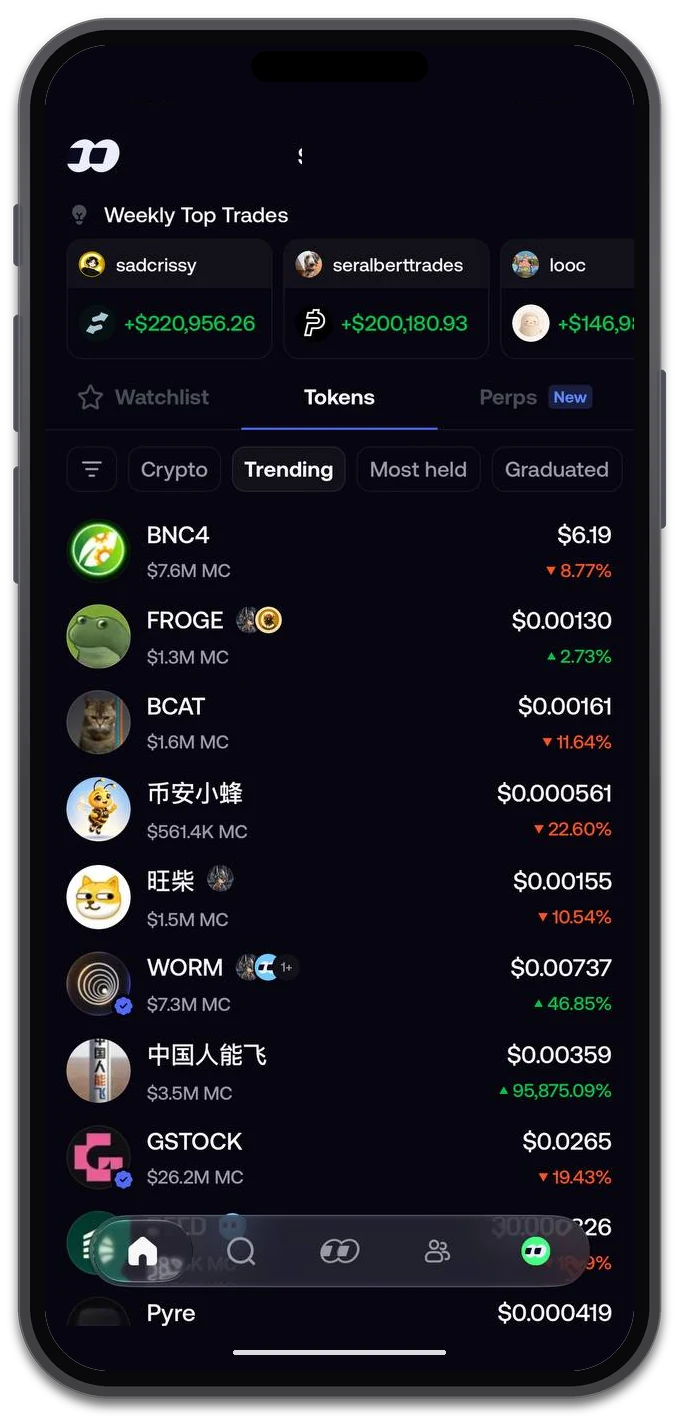
Fomo’s Tokens section with Trending selected. Weekly Top Trades is a separate module; the screen illustrates the interface, not a recommended token selection. The account balance is masked for privacy.
Fomo’s own product announcement lists “trending tokens” and a “live feed of what top traders are buying” separately. That distinction matters when discussing promotion: visibility in the token list and activity in the social feed answer different questions.
For your campaign brief, name the intended surface explicitly: Fomo Trending. Avoid the vague instruction “get us on Fomo,” which could mean making a token discoverable, improving its presentation, appearing in a feed or promoting it in Trending.
The interface does not reveal the ranking formula. A screenshot of a token list cannot establish which inputs determine position, how frequently the list changes or what placement a campaign can achieve. Those questions should not be answered with invented thresholds or assumptions borrowed from another platform.
Networks and Token Pages
The network-selection screenshot shows All chains selected. It also offers Solana, Base, BNB Chain, Monad, Ethereum, Robinhood Chain and Arc. This documents the options visible in that capture, not a permanent list or proof that every user starts with the same selection.
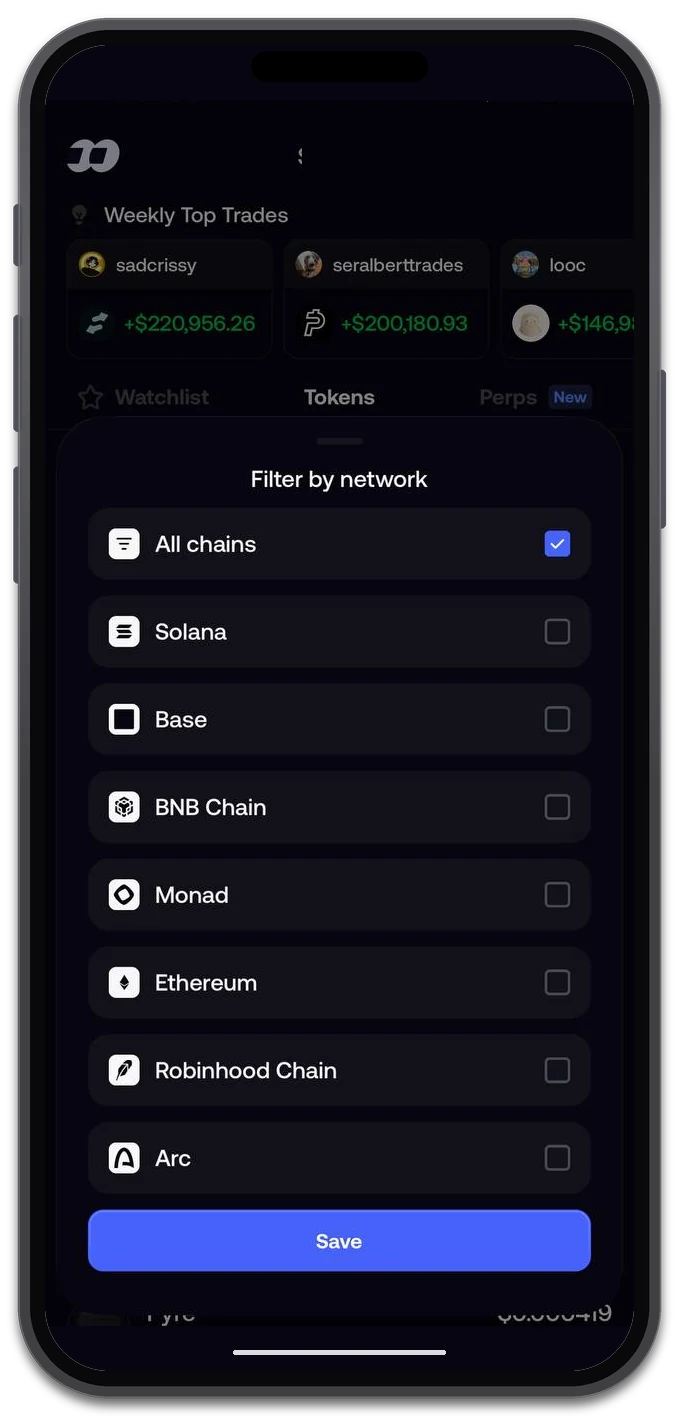
The network selector with All chains selected. Network options and availability can change as Fomo develops. The account balance is masked for privacy.
A useful visibility check therefore records the network filter as well as the token. Two screenshots taken with different filters are not a like-for-like comparison. If your project uses the same name across networks, keep the relevant chain and token address in the campaign brief rather than relying on the ticker alone.
After discovery, the token page becomes the next point of contact. Our example shows a chart, holder count, Feed and About tabs, a thesis post and a Buy button. It does not show the token address in the captured view, and the presence of a Buy button is not evidence that a purchase took place.
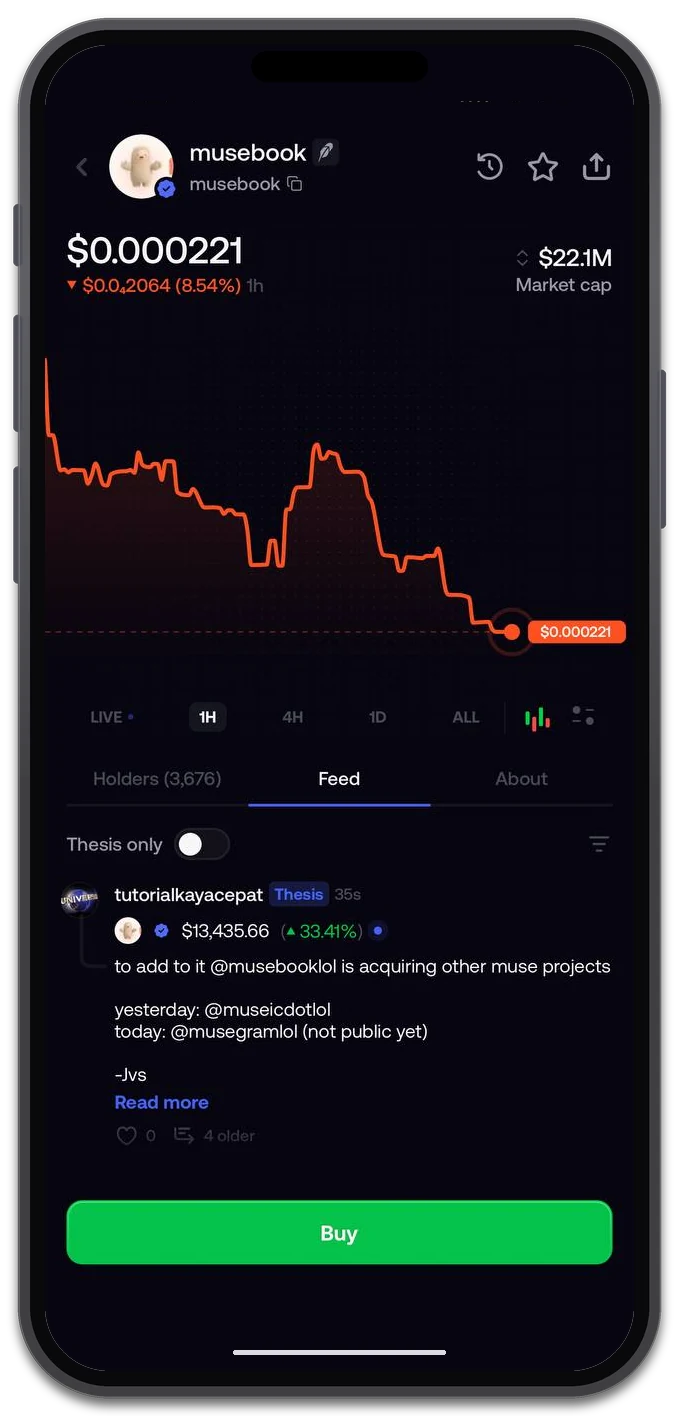
An example token page with chart, holders, social content and a Buy action. Displayed tokens and public posts are interface examples, not endorsements.
Before directing attention toward a token, review the information a new visitor can actually reach. Check that your public channels identify the correct asset, explain the project clearly and lead to working community links. Do not assume that every part of a token page is editable by the project team or that a change on one platform updates every other service automatically.
Trending vs. Social Feed
The supplied social feed mixes public Buy and Sell entries with Thesis posts. A thesis contributes a written view; a trade entry displays an activity event. Neither should be described as the screenshot owner’s personal transaction, and neither alone establishes a token’s position in Trending.
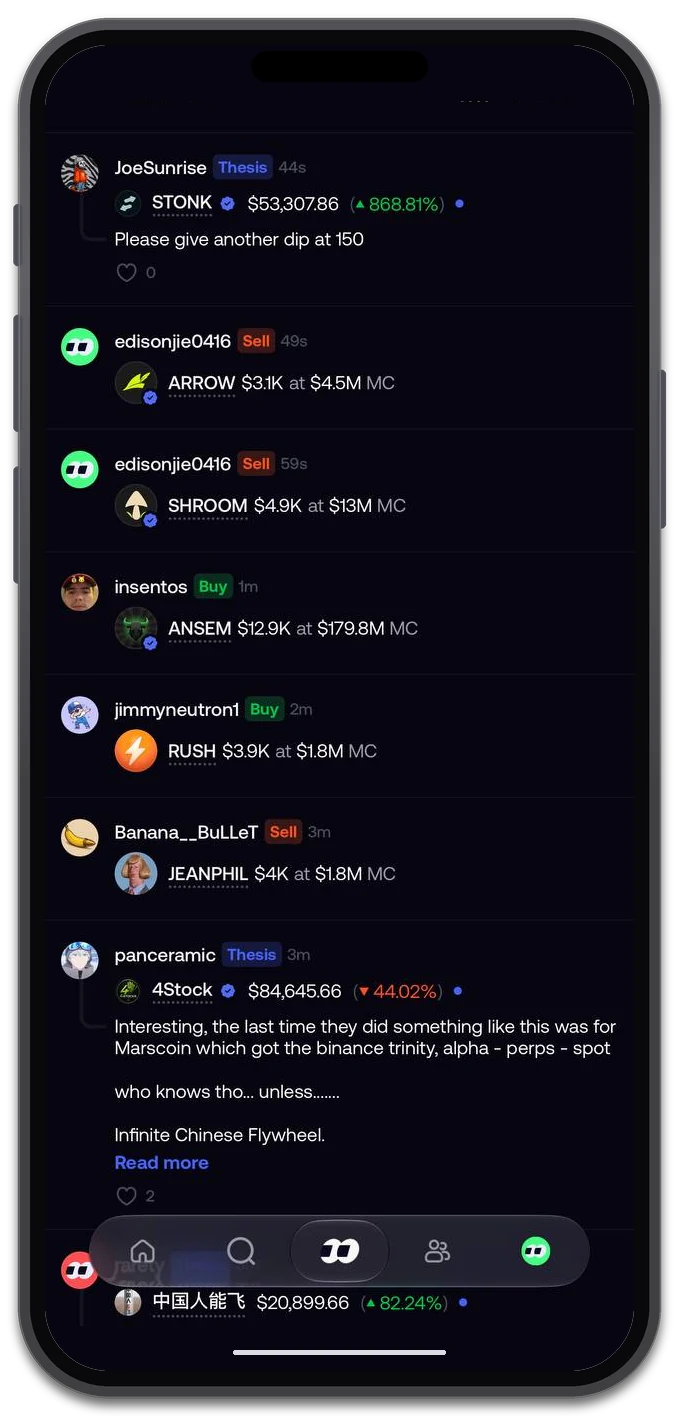
Public trade entries and Thesis posts share the social feed. These are other users’ displayed activities and opinions.
The Global feed also has its own controls. The filter panel includes Trades, Closed positions, Theses, Multi-user trades, New listings, Price spikes, Profit milestones and New traders, with Asset Type set to All in this capture. Fomo has separately announced feed filtering by size, theses, trades and other options.

Global feed filters control the activity categories selected for that feed view. They are not documentation of Trending ranking rules.
For a token team, the practical lesson is to keep reporting specific:
- Trending visibility: record the relevant token list and network selection.
- Social activity: distinguish a public trade entry from a written thesis.
- Visitor actions: use available analytics to assess visits, enquiries or community participation separately from screenshots of exposure.
Do not assume that every user sees the same feed or that a visible activity item reaches the entire app audience. Equally, the existence of these filters does not tell us whether underlying activity is an input to Trending. The controls and the ranking mechanism are different subjects.
Promote Your Token
PandaBoost’s Fomo promotion focus is Trending, with coverage intended across the networks Fomo supports. The social-feed examples above explain the surrounding product experience; they are not a description of the promotion format being offered here.
A useful campaign brief starts with a few concrete inputs:
- Token and network. Provide the token address, chain and correct name so the intended asset is unambiguous.
- Campaign objective. Explain whether you are supporting a launch, introducing an update or seeking renewed visibility for an existing project.
- Timing and readiness. Choose a window when your public information is current and someone can handle community questions.
- Terms to confirm. Check the available format, eligibility, duration, price and reporting before placing an order. Do not assume these are identical across platforms.
Promotion should be evaluated as visibility, not as a promise of purchases, price appreciation or lasting demand. A campaign can bring attention to a project; what visitors encounter still matters. Separate the agreed delivery terms from the business outcomes you hope to achieve.
Open the PandaBoost Web Panel to explore available promotion options and check current campaign details. Confirm Fomo-specific availability and terms before ordering; this article is not a fixed package quotation.
To explore the app itself, Trade on Fomo. Referral link. For the token team, the next commercial step remains a promotion brief and a visit to the PandaBoost panel—not simply another app registration.
Plan Fomo Trending Visibility
Open the PandaBoost Web Panel to review promotion options and confirm current campaign terms.
FAQ
Fomo Trending is one of the token discovery filters in the app’s Tokens section, shown alongside Most held and Graduated. The interface confirms the filter exists; it does not disclose how entries are ranked.
No. The social feed shows public trade entries and written Thesis posts from other users. That is a different surface from the Trending token list, and feed activity does not establish a position in Trending.
In the capture used here the filter has All chains selected and lists Solana, Base, BNB Chain, Monad, Ethereum, Robinhood Chain and Arc. These are the app’s filter options in that view, not a permanent list and not a statement of service coverage.
Confirm the format, eligibility, duration, price, reporting and any placement commitments in the current offer before ordering. The screenshots do not establish those terms or disclose the ranking formula. Promotion should not be treated as a promise of purchases or price growth.
The token address, chain and correct name, the campaign objective, a timing window when public information is current, and the delivery terms you have confirmed. Naming the intended surface explicitly avoids ambiguity between discovery, presentation and feed activity.

Whatever stage you're at — we're the stack.
Pre-launch? Bundle safe, warm wallets, fund quiet.
Post-launch? Trend on every scanner, chart and feed that matters.
The launch window is short. Don't waste it.